How to Create Professional Report Cards in Minutes with SkulCBT
Discover how SkulCBT's automated report card system with AI-powered comments saves teachers hours of work and creates professional results for Nigerian schools.
Introduction
Report card creation is one of the most time-consuming tasks for Nigerian teachers. The process typically involves manual calculation of grades, writing individual comments for each student, formatting documents, and ensuring compliance with school standards. For a class of 40 students, this can take 10+ hours of work.
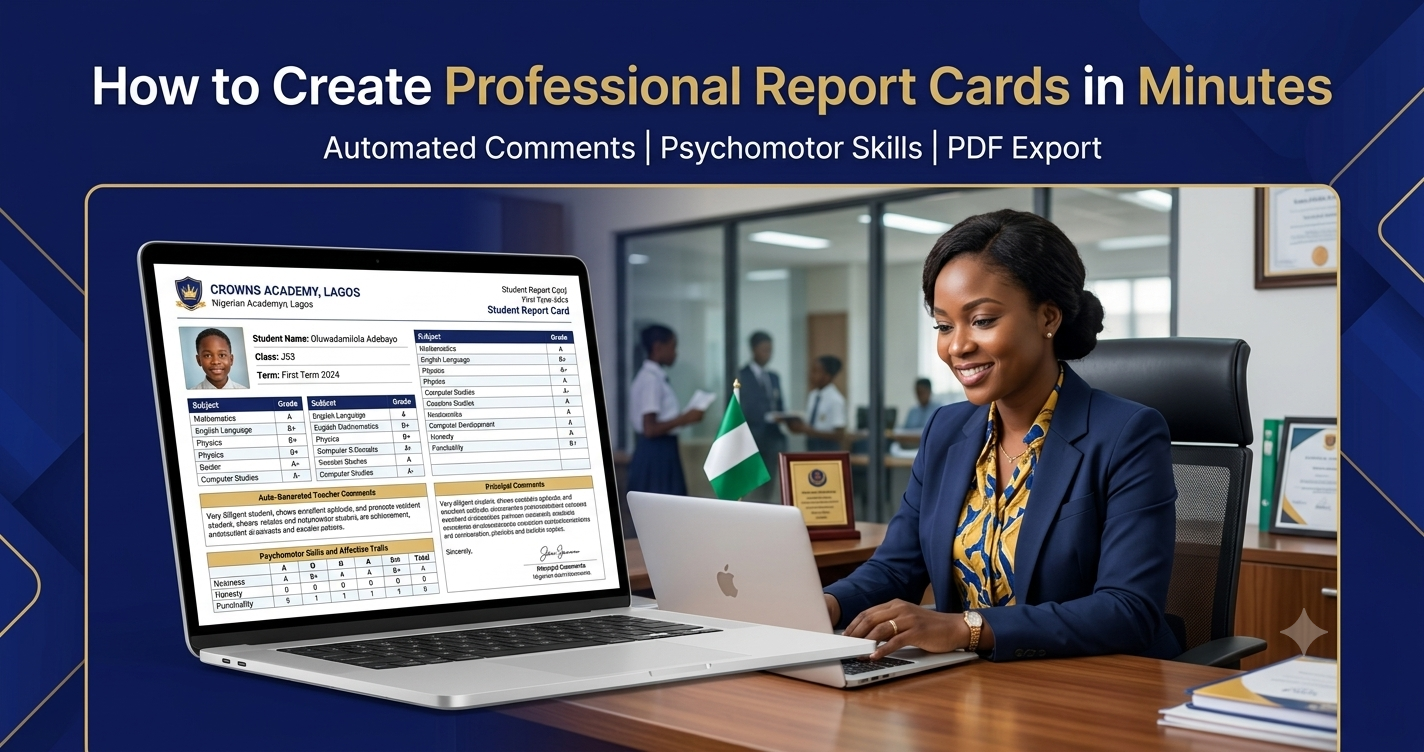
SkulCBT completely transforms this process. Our automated report card system generates professional report cards in minutes, complete with AI-powered teacher and principal comments. Teachers save hours, parents receive professional documents, and schools maintain consistency across all report cards.
The Challenge: Manual Report Cards
Traditional report card creation involves:
- Manual grade calculation and averaging
- Writing individual teacher comments for each student
- Writing principal comments for each student
- Formatting and printing documents
- Ensuring consistency across all report cards
- Psychomotor skills assessment
- Attendance tracking
This process is not only time-consuming but also prone to errors. Inconsistent formatting, missing comments, and calculation mistakes are common challenges.
The SkulCBT Solution: Automated Report Cards
SkulCBT's automated report card system handles everything:
- Automatic Calculation: All grades and averages are calculated automatically
- AI-Powered Comments: Teacher and principal comments are generated based on student performance
- Professional Formatting: Standardized, professional layout with school branding
- Psychomotor Skills: Automated psychomotor assessment tracking
- Attendance: Attendance records included
- Email Delivery: Send report cards directly to parents via email
- PDF Export: Download professional PDF report cards
Step-by-Step Guide to Creating Report Cards with SkulCBT
Step 1: Enter Student Results
- Log in to SkulCBT
- Navigate to the Results module
- Enter student scores for each subject
- Include CA scores, exam scores, and any other assessments
- Add attendance records
- Complete psychomotor skills assessment
Step 2: Auto-Generate Comments
- Based on student performance, SkulCBT automatically generates:
- Teacher Comments: Personalized feedback on strengths and areas for improvement
- Principal Comments: Professional remarks for each student
- Comments are tailored to the student's performance level
- No manual writing required
Step 3: Review and Customize
- Review the auto-generated comments
- Make any additional customization if needed
- Add specific observations
- Ensure all information is accurate
- Update attendance records if needed
Step 4: Generate Report Cards
- Click "Generate Report Card"
- SkulCBT creates a professional PDF report card
- School logo and branding are automatically included
- All student details, grades, comments, and assessments are included
- Report cards are ready in seconds
Step 5: Share with Parents
- Email report cards directly to parents
- Parents can view report cards in the Parent Portal
- Download PDF versions for printing
- Professional, consistent format every time
Benefits of Automated Report Cards
For Teachers
- Save Time: Reduce report card creation from 10+ hours to minutes
- Consistency: All report cards follow the same professional format
- Accuracy: No calculation errors
- Professional Comments: AI-generated comments are thoughtful and personalized
- Focus on Teaching: Spend less time on paperwork, more time on students
For Schools
- Professional Image: Consistent, professional report cards with school branding
- Standards Compliance: Report cards meet WAEC/NECO standards
- Efficiency: Faster report card generation for all students
- Parent Satisfaction: Parents receive professional, detailed report cards
- Cost Savings: Reduced printing and administrative costs
For Parents
- Professional Format: Easy to read and understand
- Detailed Information: Comprehensive student performance data
- Accessibility: View report cards anytime via Parent Portal
- Convenience: Receive report cards via email
- Transparency: Clear performance indicators and comments
Report Card Components
SkulCBT report cards include:
- School Logo & Branding: Professional school identity
- Student Information: Name, class, term, session
- Academic Performance: Subject-wise grades and scores
- Teacher Comments: Auto-generated performance feedback
- Principal Comments: Professional administrative remarks
- Psychomotor Skills: Assessment of physical and motor skills
- Attendance Record: Attendance summary
- Overall Performance Summary: Key performance indicators
Why SkulCBT's Report Cards Are Different
- AI-Powered: Comments are generated using advanced AI based on student performance
- Nigerian Context: Designed for WAEC/NECO/JAMB grading systems
- Offline-First: Report cards can be generated without internet
- Integrated: Connects with results, attendance, and psychomotor modules
- Scalable: Generate report cards for any number of students
Ready to Create Professional Report Cards in Minutes?
Join 100+ Nigerian schools already using SkulCBT for automated report cards. One-time payment. Lifetime updates.
Request a Demo